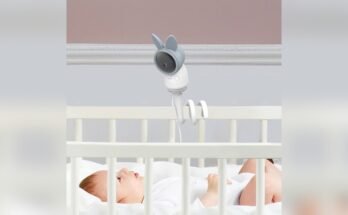
Have you ever wondered how baby monitors really work to keep your little one safe? If you’re like most parents, the peace of mind that comes from hearing or seeing your baby from another room is priceless.
But what’s happening behind the scenes that makes this possible? Understanding how baby monitors operate can help you choose the right one and use it more effectively. Keep reading, and you’ll discover the simple technology that connects you to your baby, so you never miss a precious moment or a subtle sound.
Credit: mikucare.com
Types Of Baby Monitors
Baby monitors help parents keep an eye on their little ones from another room. Different types of monitors offer various ways to watch or listen. Choosing the right type depends on what parents need most for their baby’s safety and comfort.
Audio Monitors
Audio monitors transmit sound from the baby’s room to the parent’s receiver. They let parents hear when the baby cries or makes noise. These monitors are simple and easy to use. They are also usually more affordable than other types. Audio monitors work well for parents who only need to listen.
Video Monitors
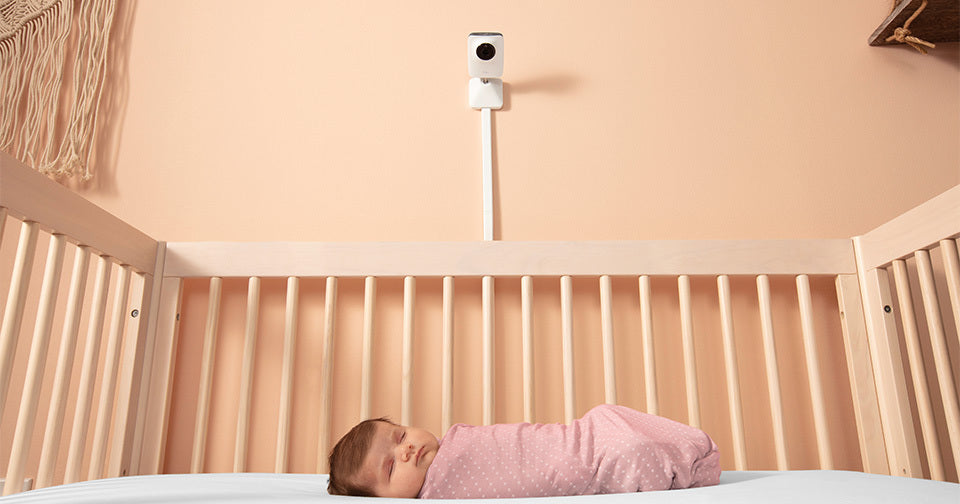
Video monitors show live images of the baby’s room on a screen. Parents can see their baby’s movements and expressions clearly. Many video monitors include night vision for low light conditions. They often have two-way audio to talk to the baby. Video monitors provide more peace of mind by combining sight and sound.
Movement Monitors
Movement monitors track the baby’s breathing or body motion. Sensors can be placed under the mattress or attached to the baby. These monitors alert parents if movement stops or changes. They add an extra layer of safety for newborns. Movement monitors are helpful for parents worried about sudden changes.
Smart Monitors
Smart monitors connect to Wi-Fi and sync with smartphones. Parents can watch or listen from anywhere using an app. Some smart monitors include temperature and humidity sensors. They often offer features like lullabies and alerts. Smart monitors combine technology and convenience for modern parents.
Core Components
Baby monitors have several key parts that help parents keep an eye on their little ones. These core components work together to send sound, video, and alerts. Understanding them makes it easier to choose the right monitor for your needs.
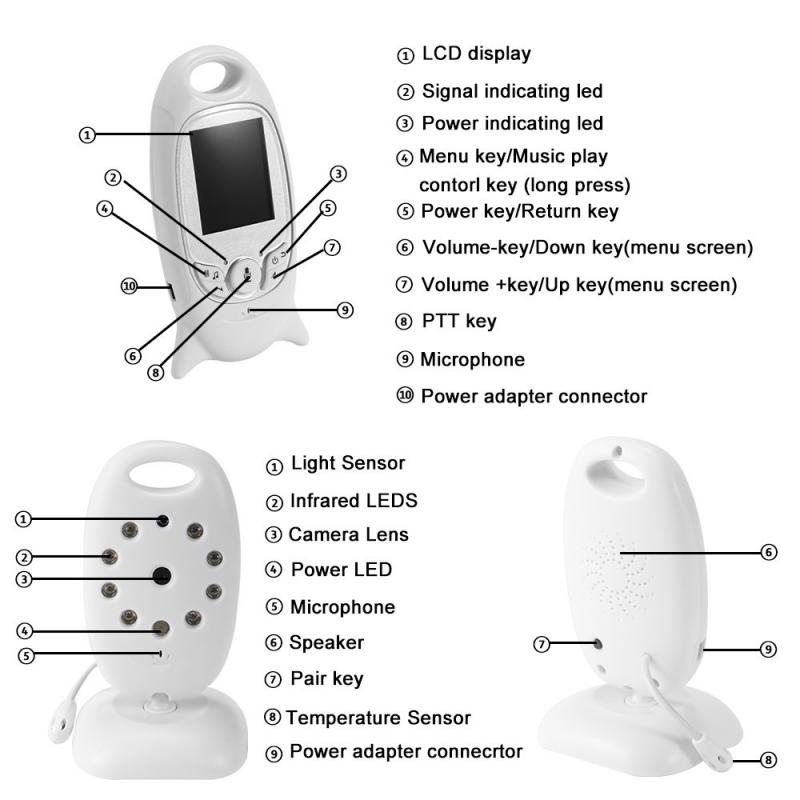
Microphone And Speaker
The microphone picks up sounds from the baby’s room. It sends these sounds to the parent unit. The speaker plays the sounds so parents can hear their baby. This helps parents respond quickly if the baby cries.
Camera And Screen
Cameras capture live video of the baby. Some cameras can move or zoom for better views. The screen on the parent unit shows this video. It allows parents to watch their baby without entering the room.
Sensors And Alarms
Sensors track the baby’s movement or breathing. Some monitors alert parents if the baby stops moving. Other alarms notify when the baby is too hot or cold. These features add extra safety and peace of mind.
Wireless Technology
Wireless signals send sound and video between the baby and parent units. Most monitors use Wi-Fi or radio waves for connection. This lets parents move around the house freely. Wireless tech ensures clear and fast communication.
How Signals Are Transmitted
Baby monitors send sounds and images from your baby’s room to your receiver. This helps you watch and listen from another room. The way signals travel depends on the type of technology used. Each method has its own way to keep the connection clear and safe.
Radio Frequency Transmission
Radio frequency (RF) is the oldest method for baby monitors. The baby unit sends sound or video using radio waves. These waves travel through walls and floors. The parent unit picks up the signals and plays them. RF signals are simple and use little power. They work well in small homes or apartments. The range can vary but usually covers a whole house. Some RF monitors use encryption to keep the signals private.
Wi-fi Connectivity
Wi-Fi baby monitors use your home internet network. The baby unit connects to your Wi-Fi router. This lets you watch and listen on your smartphone or tablet. Wi-Fi monitors can work anywhere with internet access. They often have extra features like video recording and alerts. The quality depends on your internet speed. Strong Wi-Fi signals provide clear video and sound. These monitors use secure connections to protect your data.
Bluetooth Integration
Bluetooth baby monitors send signals over short distances. They connect directly to a nearby parent unit or phone. Bluetooth uses less power but has a limited range. It works best when you stay close to the baby. This method is common in simple audio monitors. Bluetooth is easy to set up and does not need Wi-Fi. The connection is usually stable within one room.
:max_bytes(150000):strip_icc()/GettyImages-597318727-f8b23ba119684f189b5a082ba55fc187.jpg)
Credit: www.parents.com
Power Sources And Battery Life
Baby monitors need power to work properly. The power source affects how long the monitor lasts. Battery life is important for parents who want constant monitoring. Different monitors use different power options. Understanding these can help you choose the best one.
Rechargeable Batteries
Many baby monitors use rechargeable batteries. These batteries save money over time. You can charge them with a USB cable or a power adapter. Charging usually takes a few hours. A full charge can last from 8 to 12 hours. This option is good for portability and ease of use.
Battery Replacement
Some monitors use replaceable batteries. They often require AA or AAA batteries. These batteries can be swapped out quickly. Replacement batteries are easy to find in stores. This option works well for long trips or emergencies. Always keep spare batteries on hand for peace of mind.
Power Saving Features
Many baby monitors have power saving modes. These features help extend battery life. Monitors may lower screen brightness or reduce sound volume. Some turn off the screen when not in use. Others use motion sensors to activate only when needed. Power saving helps monitors last through the night.
Security Features
Baby monitors do more than just show sounds and images. They protect your family’s privacy and keep the connection safe. Security features guard against spying and signal interference. These features help parents feel calm while monitoring their baby.
Encryption Methods
Encryption scrambles the data sent between the monitor and receiver. This stops outsiders from hearing or seeing the baby’s room. Many baby monitors use advanced encryption like AES. This method is strong and trusted in many security tools.
Without encryption, hackers could listen or watch without permission. Encryption keeps all audio and video private. It creates a secure link that only your devices can read.
Privacy Settings
Privacy settings give parents control over the monitor’s data. You can turn off remote access or disable cloud storage. This limits who can view the video feed.
Some monitors allow you to set passwords or PIN codes. This stops strangers from logging in to your device. Regularly updating these settings helps keep your baby’s space safe.
Preventing Interference
Interference happens when other devices disrupt the monitor’s signal. Security features reduce this risk by using specific radio frequencies. Some monitors switch channels automatically to avoid noise.
Secure signals prevent others from hijacking the monitor. This keeps the connection clear and private. It helps parents trust the monitor’s accuracy and safety.
Credit: www.kentfaith.com
Choosing The Right Monitor
Choosing the right baby monitor is important for your peace of mind. Not all monitors work the same way or fit every family’s needs. Think about where and how you will use the monitor. This helps you pick the best one for your home and lifestyle.
Room Size And Range
Consider the size of your home and the distance between rooms. Some monitors work best in small spaces. Others have a longer range for bigger houses. Choose a monitor with a range that covers your entire home. This way, you won’t lose connection when you move around.
Additional Features
Look for extra features that make monitoring easier. Night vision helps you see your baby in the dark. Two-way audio lets you talk to your baby from another room. Some monitors show temperature or play lullabies. Pick features that suit your needs and lifestyle.
Budget Considerations
Set a budget before buying a monitor. Prices vary from simple models to advanced ones. Basic monitors cover essential functions well. More expensive models offer extra features and better range. Find a balance between cost and the features you want.
Setting Up Baby Monitors
Setting up baby monitors is the first step to ensure your baby’s safety. Proper setup helps you hear and see your baby clearly. It also prevents interruptions and false alarms.
Follow simple steps to place and connect your devices. Testing the system ensures it works well before use.
Placement Tips
Place the baby monitor camera where it has a clear view of the crib. Avoid placing it too close to the baby to prevent accidents. Keep the monitor away from walls or metal objects to reduce interference. Position the parent unit where you spend most of your time. This helps you stay alert to any sound or movement.
Connecting Devices
Turn on both the baby and parent units. Follow the manual to sync the devices using Wi-Fi or radio signals. Secure your connection with a password if available. This keeps your feed private and safe. Check that the devices stay connected even when you move around your home.
Testing And Calibration
Test the audio and video quality before regular use. Adjust the volume and screen brightness for comfort. Use the microphone to check sound clarity. Move the camera to find the best angle. Make sure the monitor alerts you to noise or movement. Repeat testing regularly to maintain proper function.
Maintaining Your Monitor
Maintaining your baby monitor ensures it works well and lasts long. Clean devices perform better and keep your baby safe. Regular care prevents common problems and helps you catch issues early.
Regular Cleaning
Dust and dirt can block sensors and reduce sound quality. Wipe the monitor gently with a soft, dry cloth. Avoid using water or strong cleaners that may damage it. Clean the camera lens often for clear video. Keep vents free from dust to stop overheating.
Software Updates
Updates fix bugs and improve features on your monitor. Check for new software regularly. Follow the manufacturer’s instructions to install updates. Updated software can enhance security and performance. Skipping updates may cause glitches or weak signals.
Troubleshooting Common Issues
Monitors sometimes lose connection or show poor video. Restart both parent and baby units to reset them. Check batteries or power cables for damage. Move the monitor closer to the baby unit if the signal is weak. Consult the user manual for specific error codes or problems.
Frequently Asked Questions
How Do Baby Monitors Transmit Audio And Video?
Baby monitors use radio waves or Wi-Fi to send audio and video signals. The camera captures your baby’s sounds and movements. The signals are then transmitted to the parent unit or smartphone app for real-time monitoring.
What Types Of Baby Monitors Are Available?
There are audio-only, video, and Wi-Fi baby monitors. Audio monitors transmit sound, video monitors add visual feeds, and Wi-Fi monitors allow remote viewing via smartphones. Each type offers different features based on your monitoring needs.
How Secure Are Baby Monitor Connections?
Most modern baby monitors use encrypted signals to protect privacy. Wi-Fi models often include password protection and encryption. However, always update device firmware and use strong passwords to enhance security and prevent unauthorized access.
Can Baby Monitors Detect Movement Or Breathing?
Some advanced baby monitors have motion and breathing sensors. These sensors alert parents if the baby stops moving or breathing. However, standard monitors mainly transmit audio and video without motion detection.
Conclusion
Baby monitors help parents keep an eye on their little ones. They send sounds or images from the baby’s room to your device. This lets you hear cries or see movements anytime. Many models use radio waves or Wi-Fi to connect.
Some offer extra features like night vision or temperature alerts. Choosing the right monitor depends on your needs and budget. These devices bring peace of mind and help parents feel close. Understanding how they work makes using them easier and safer.
Baby monitors are a useful tool for every family.